
Starting Your Journey with Openβ
Preparing Your OAS Tokens
Purchasing the OAS Tokens
Purchasing NFTs for the Open Beta requires OAS tokens, which are obtainable through exchanges.
The following is an alphabetically ordered list of exchanges that carry $OAS tokens:
BingX
Bitbank
Bitget
BitMart
Bithumb
Bybit
CoinDCX
CoinEX
Crypto.com Exchange
Gate.io
HTX
Korbit
KuCoin
LBank
MEXC
OKX
Transferring Your OAS Tokens to MetaMask
Add the Oasys Hub-L1 in your MetaMask and transfer OAS Tokens to your wallet address
Network name: OASYS Hub
RPC: https://rpc.mainnet.oasys.games
Chain ID: 248
Currency symbol: OAS
Scan: https://scan.oasys.games
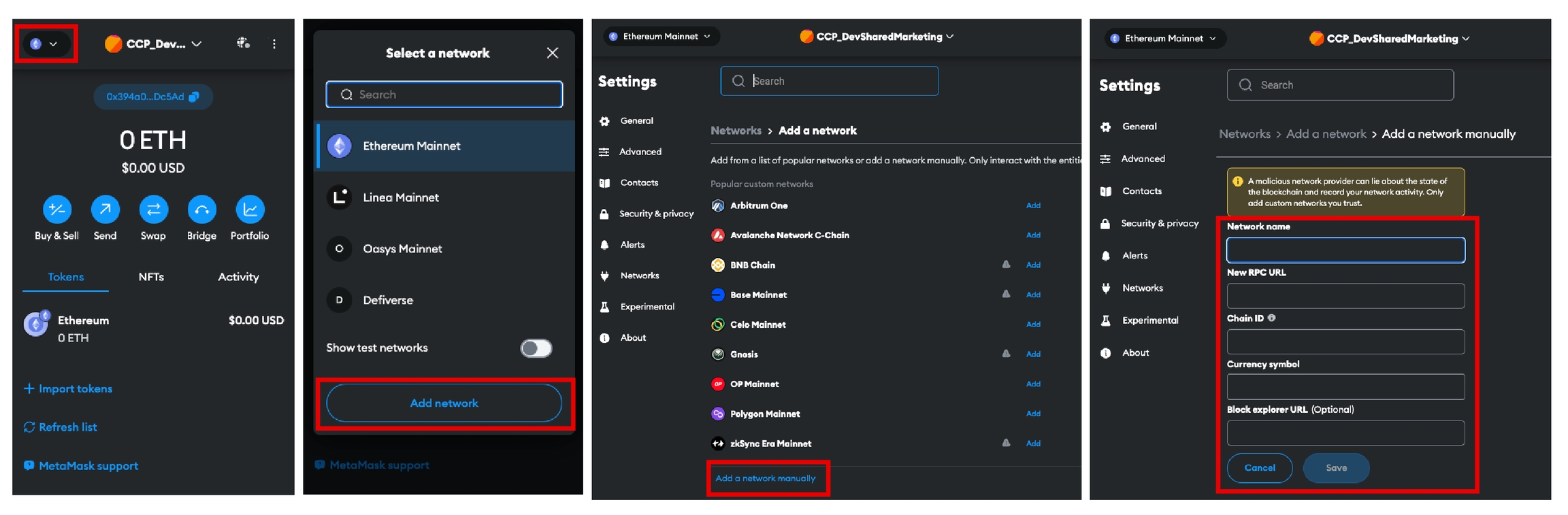
Bridging OAS Tokens into the DeFiVerse
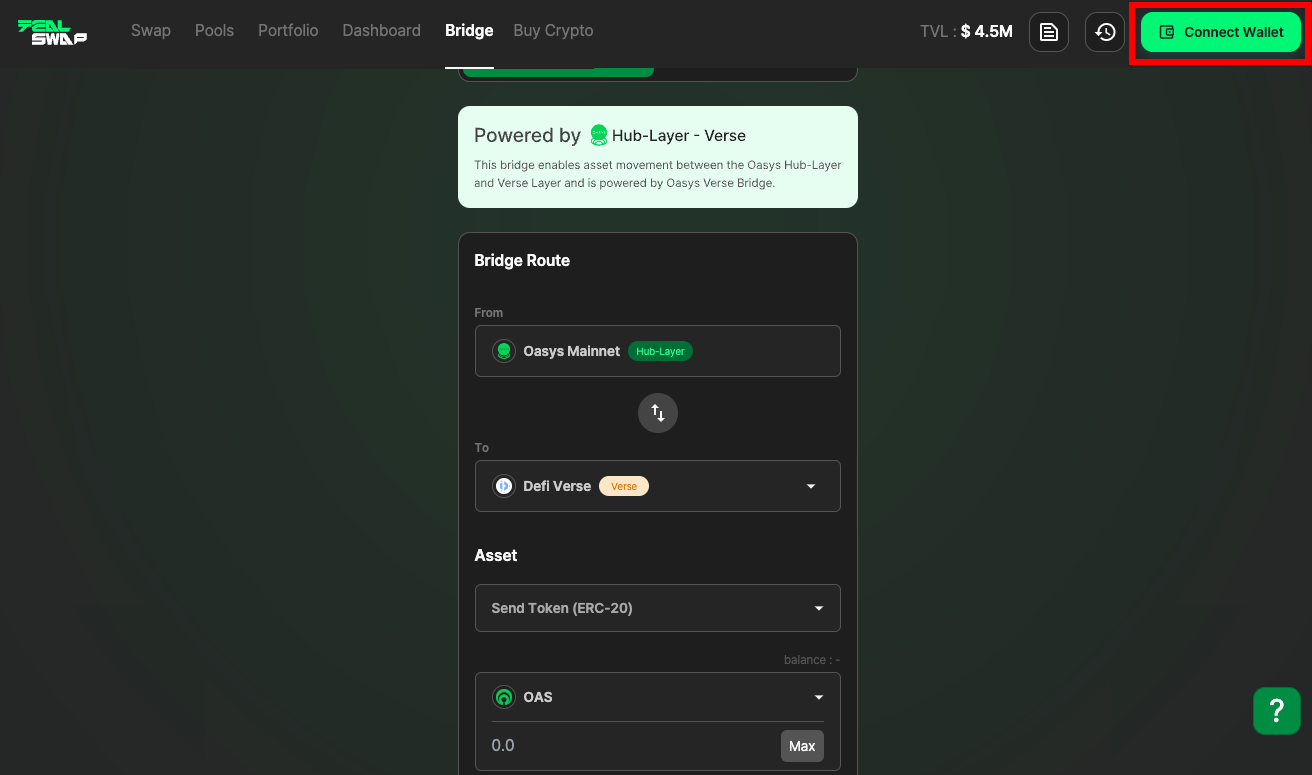
Navigate to Tealswap and select ‘Connect Wallet’. https://app.tealswap.com/bridge/oasys-verse/
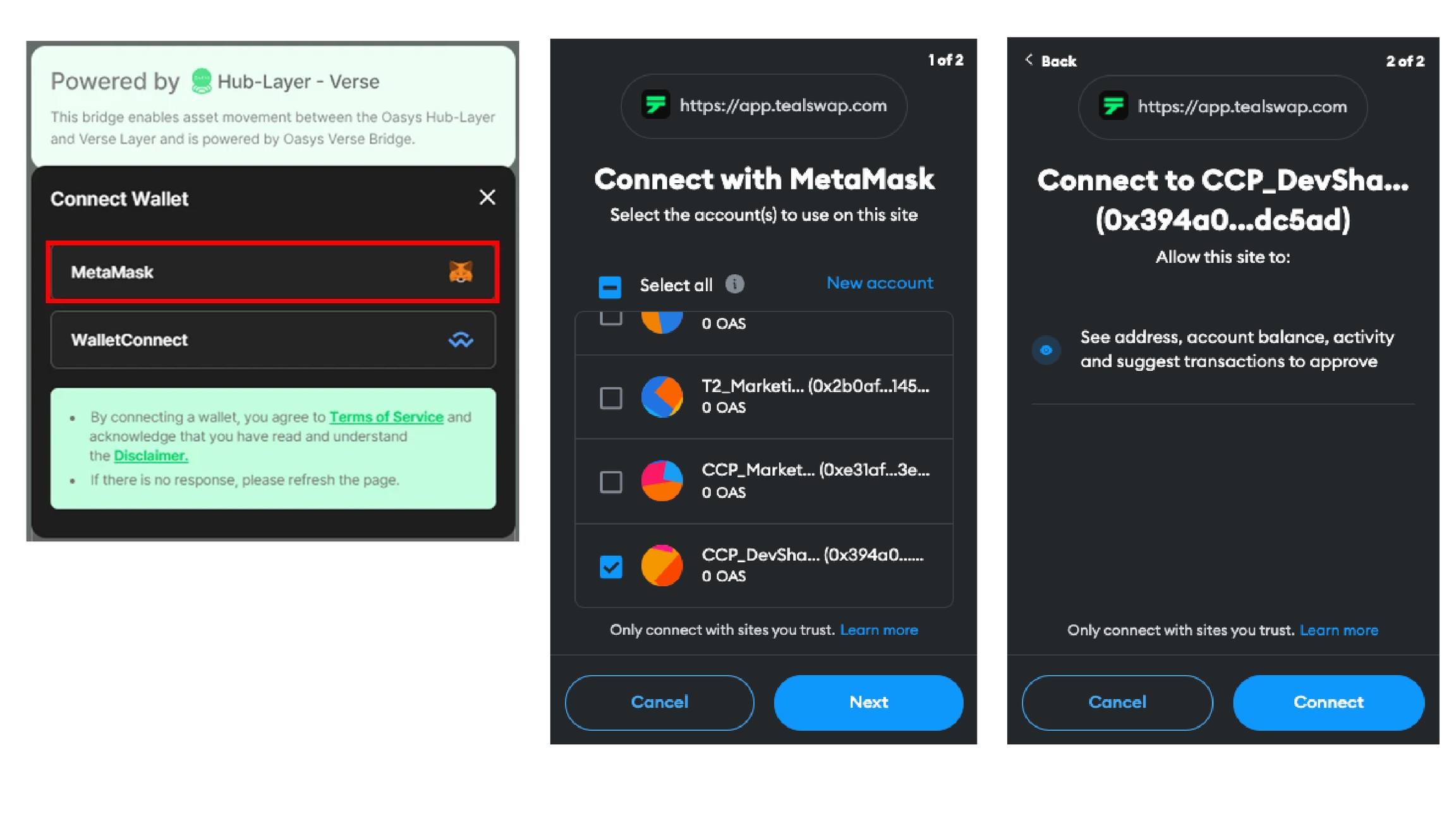
Select MetaMask, and allow it to connect.
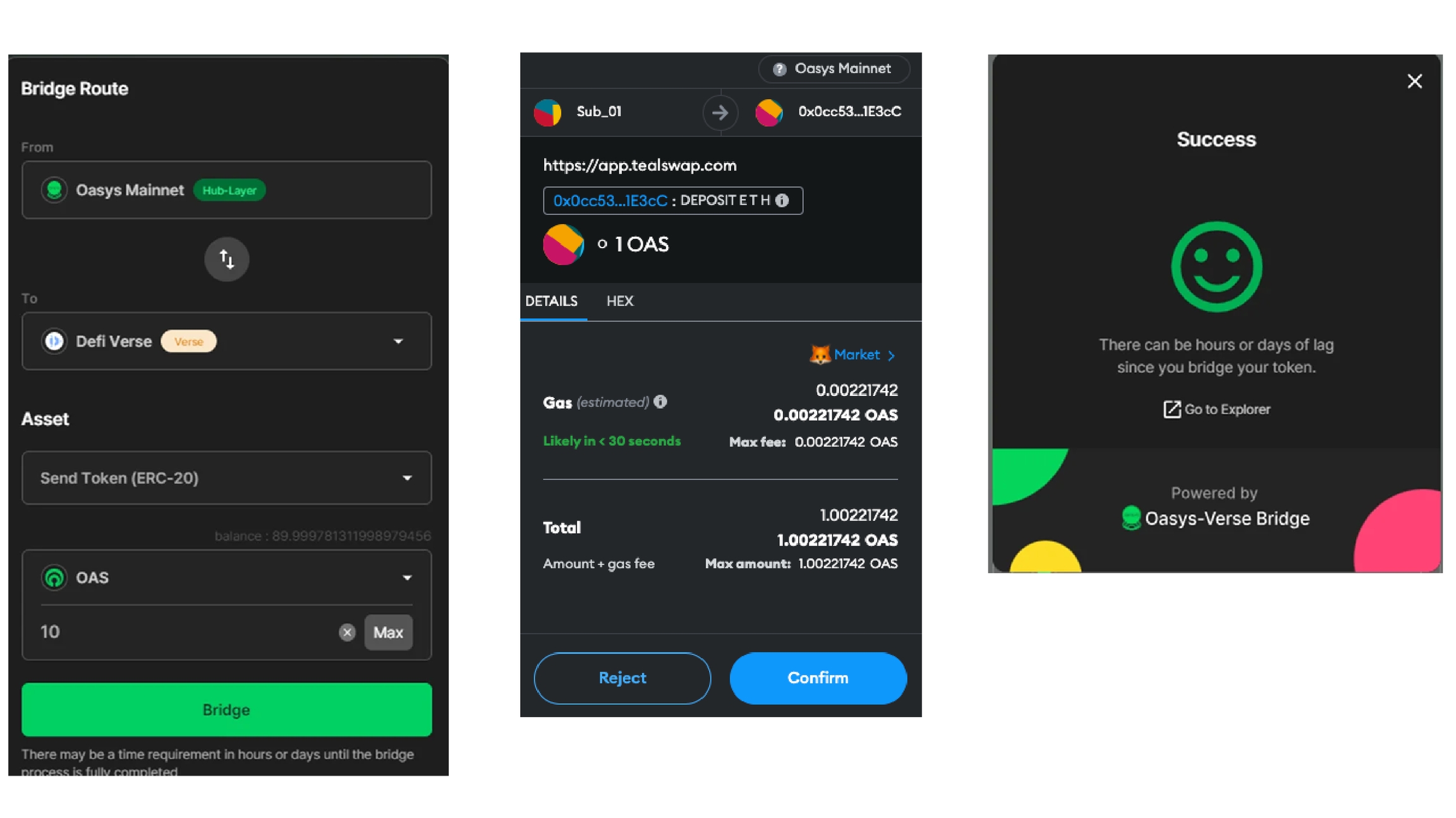
From → Oasys Mainnet To → DeFiVerse Asset → Send Token (ERC-20) Specify the desired amount of OAS tokens for transfer Select ‘Bridge’ Gas fees for bridging will be calculated. The process is complete once you see ‘Success’
Setting up Accounts ・Connecting Wallets ・Transferring Tokens
Setting up Accounts
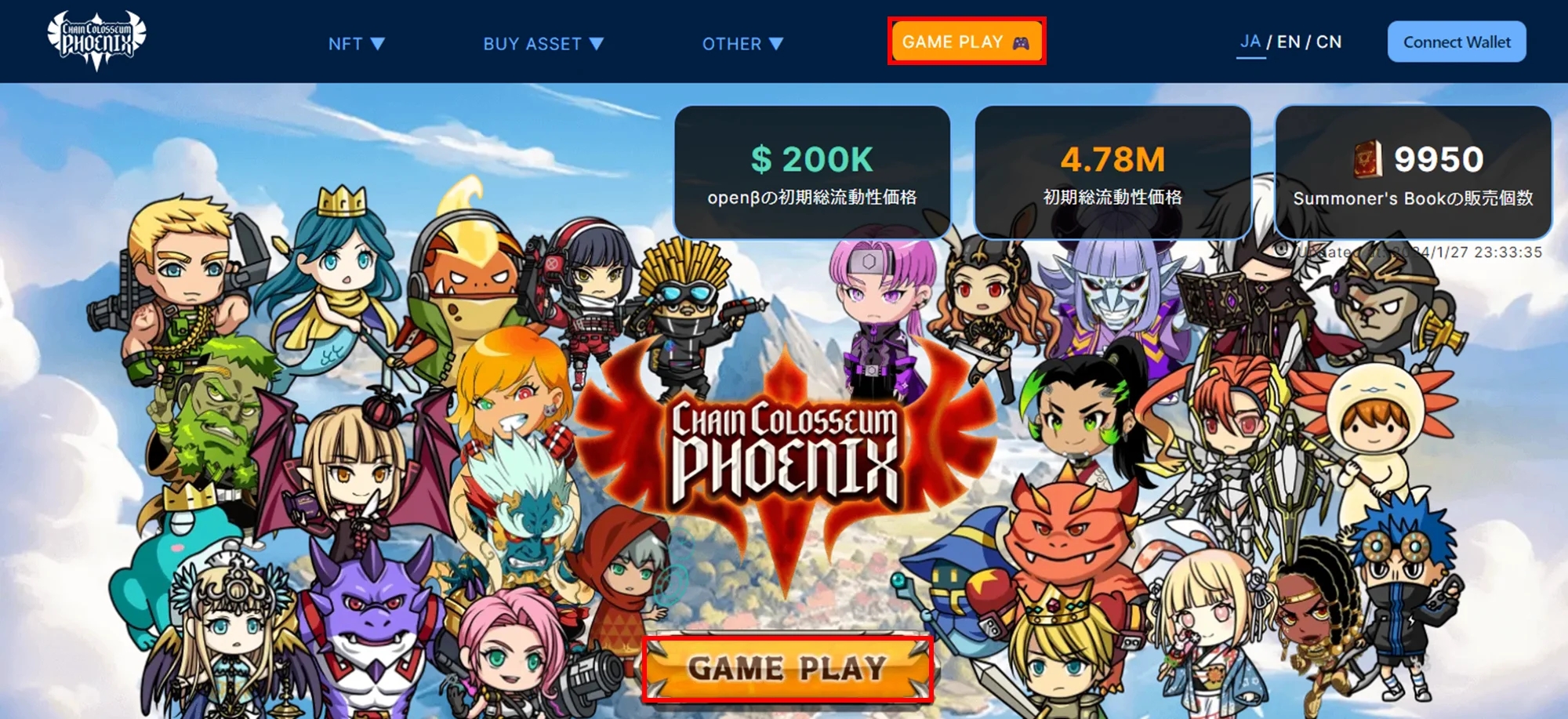
Access the official ChainColosseumPhoenix website and select ‘GAME PLAY’. https://phoenix.chaincolosseum.org/
Click on ‘Create’ Type in your preferred email address. Click on ‘Send code’. Input the code received in your email. Set your password, confirming it by entering it again. Check the ‘I agree to Terms of Use & Privacy Policy’ box.
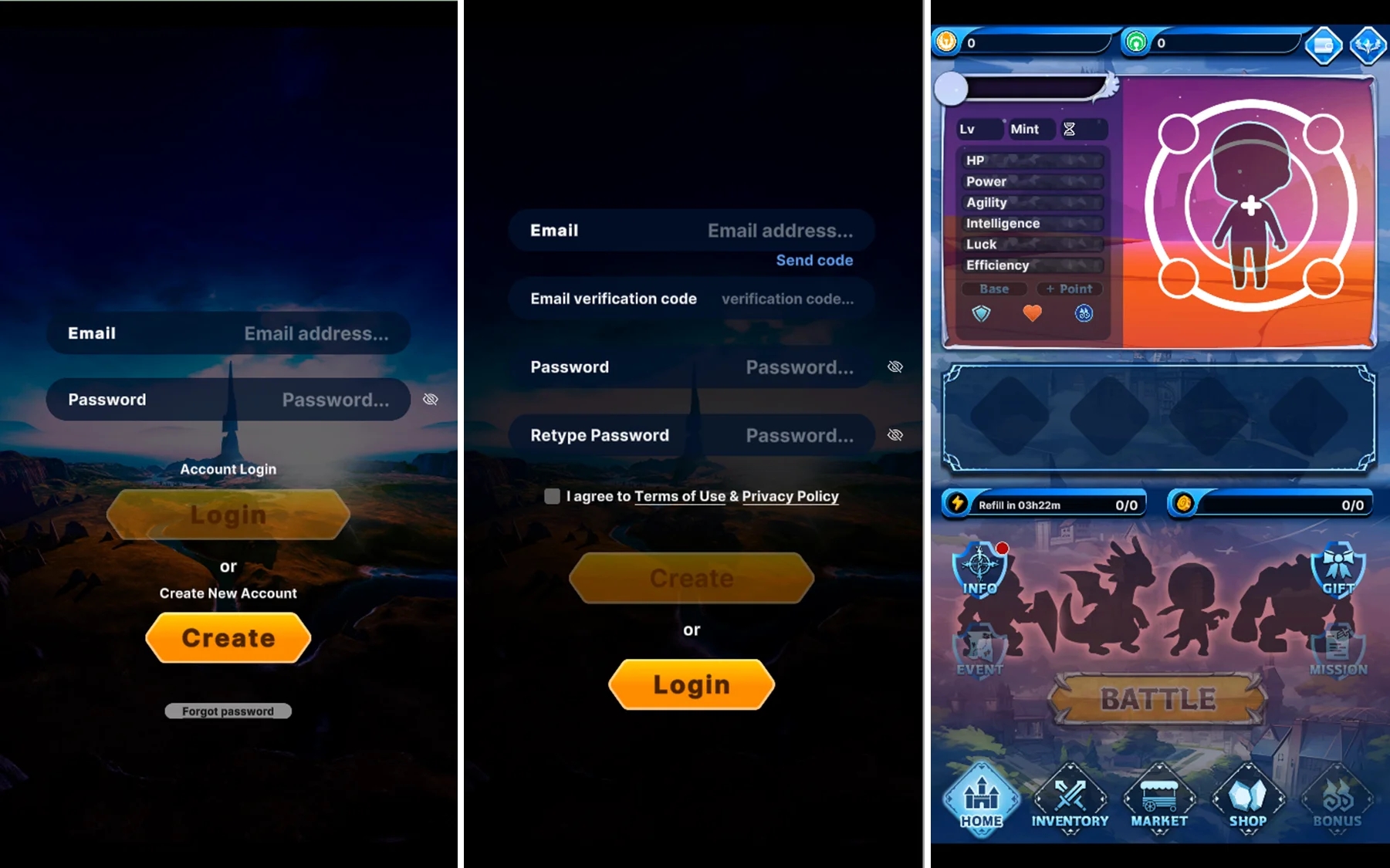
Your game account has now been created.
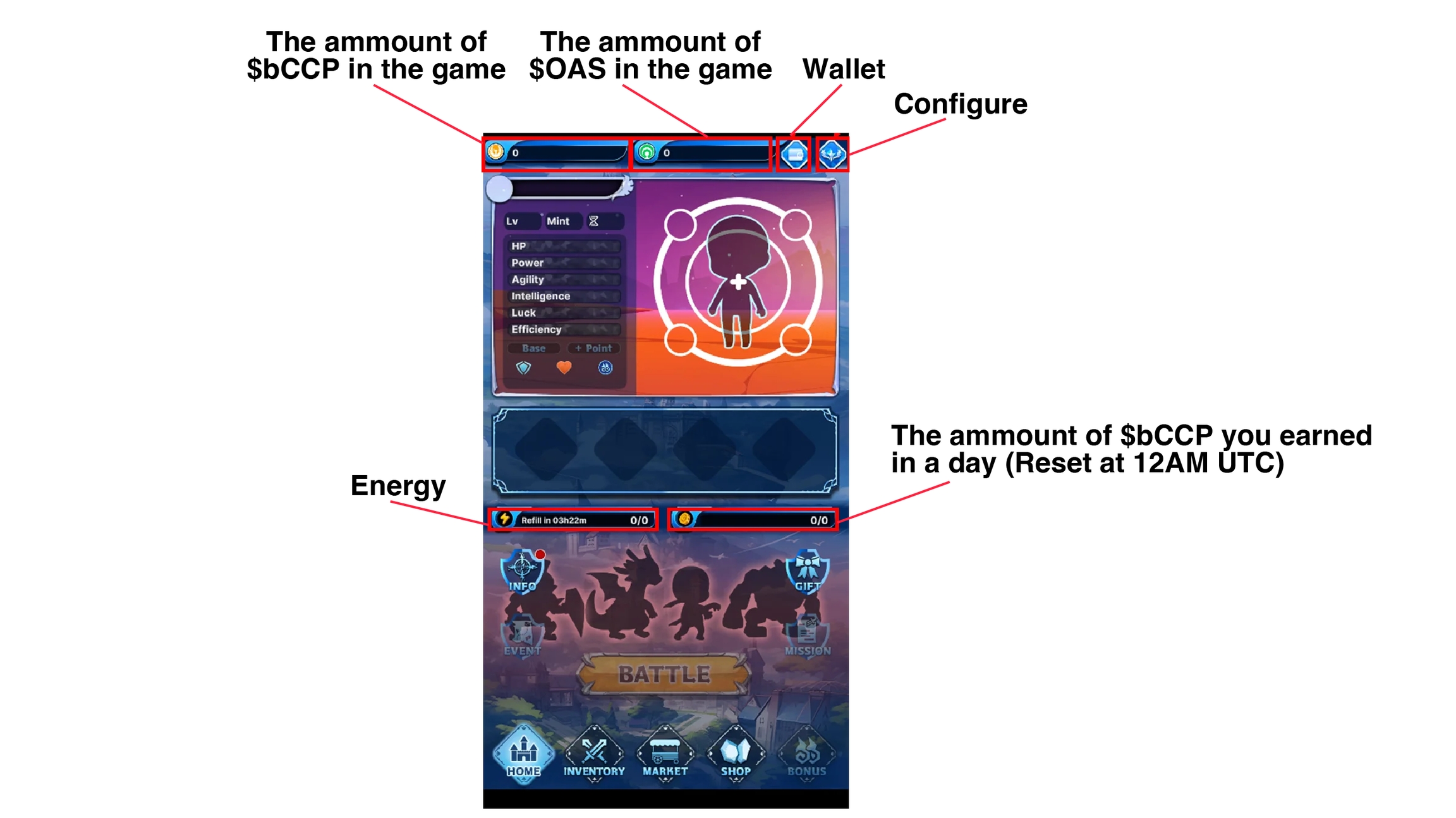
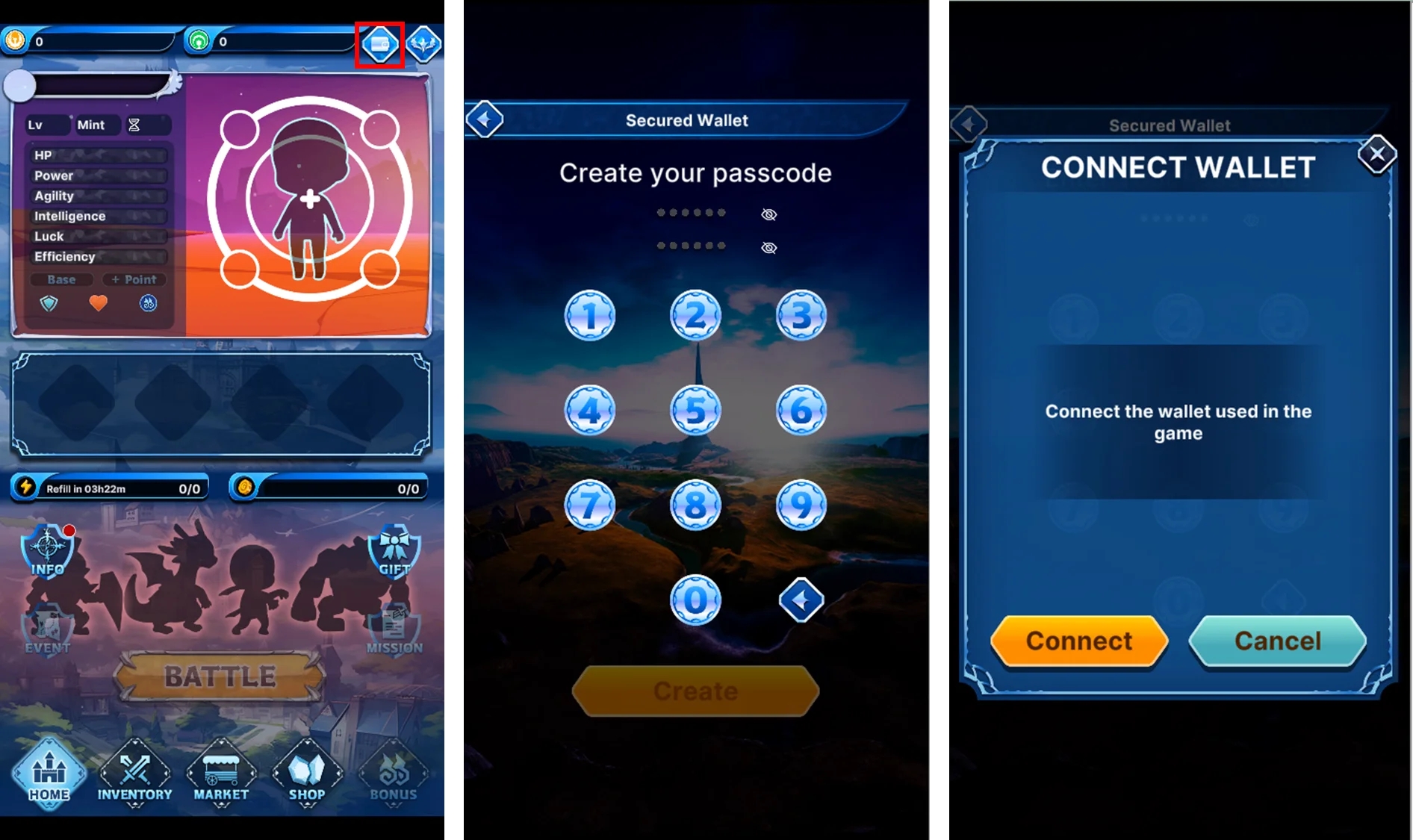
Connecting Wallets
Click the wallet icon in the upper right corner of the game screen. Choose a 6-digit passcode. Click ‘CONNECT’. Approve the wallet connection.
Transferring Tokens
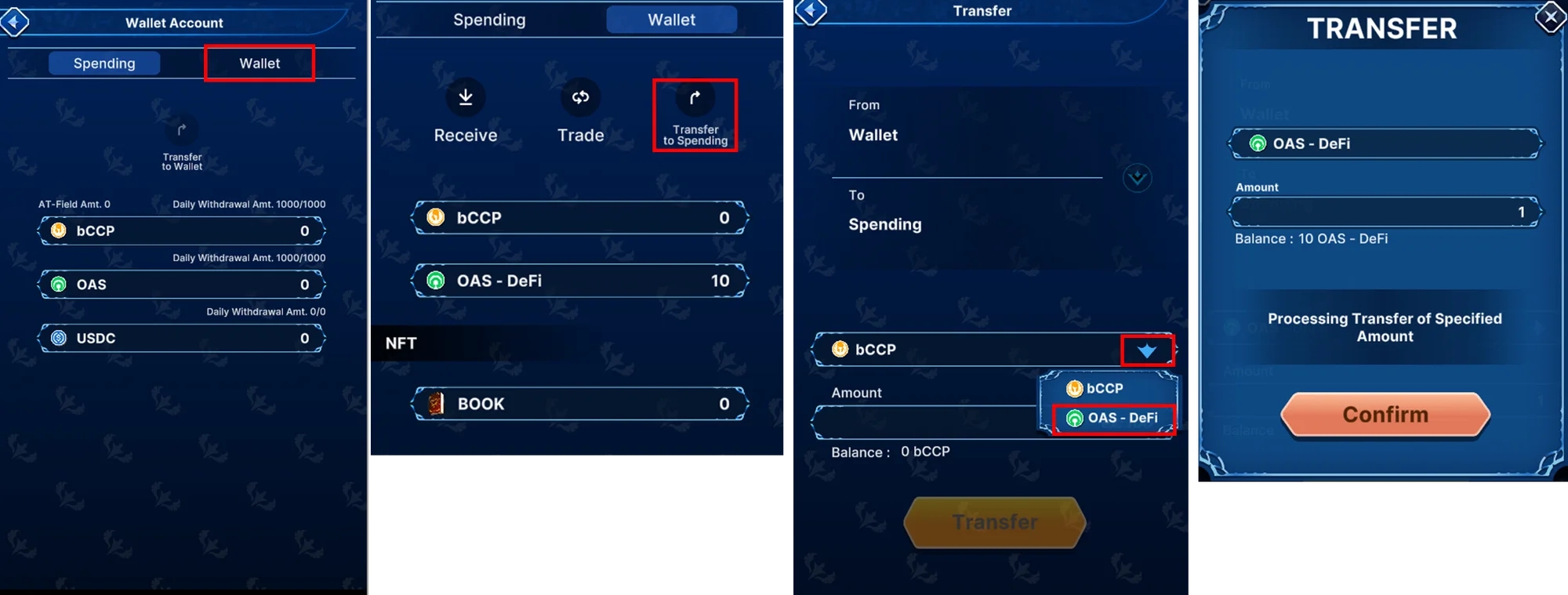
Open the Wallet Account screen, and select ‘Wallet’. Select ‘Transfer to Spending’. Convert bCCP to OAS-DEFI. Specify the amount of OAS tokens to transfer into the game. Click ‘Transfer’. Review and accept the details by selecting ‘Confirm’
Hero, Acquiring a Beta Summoner's Book・Starting Battles
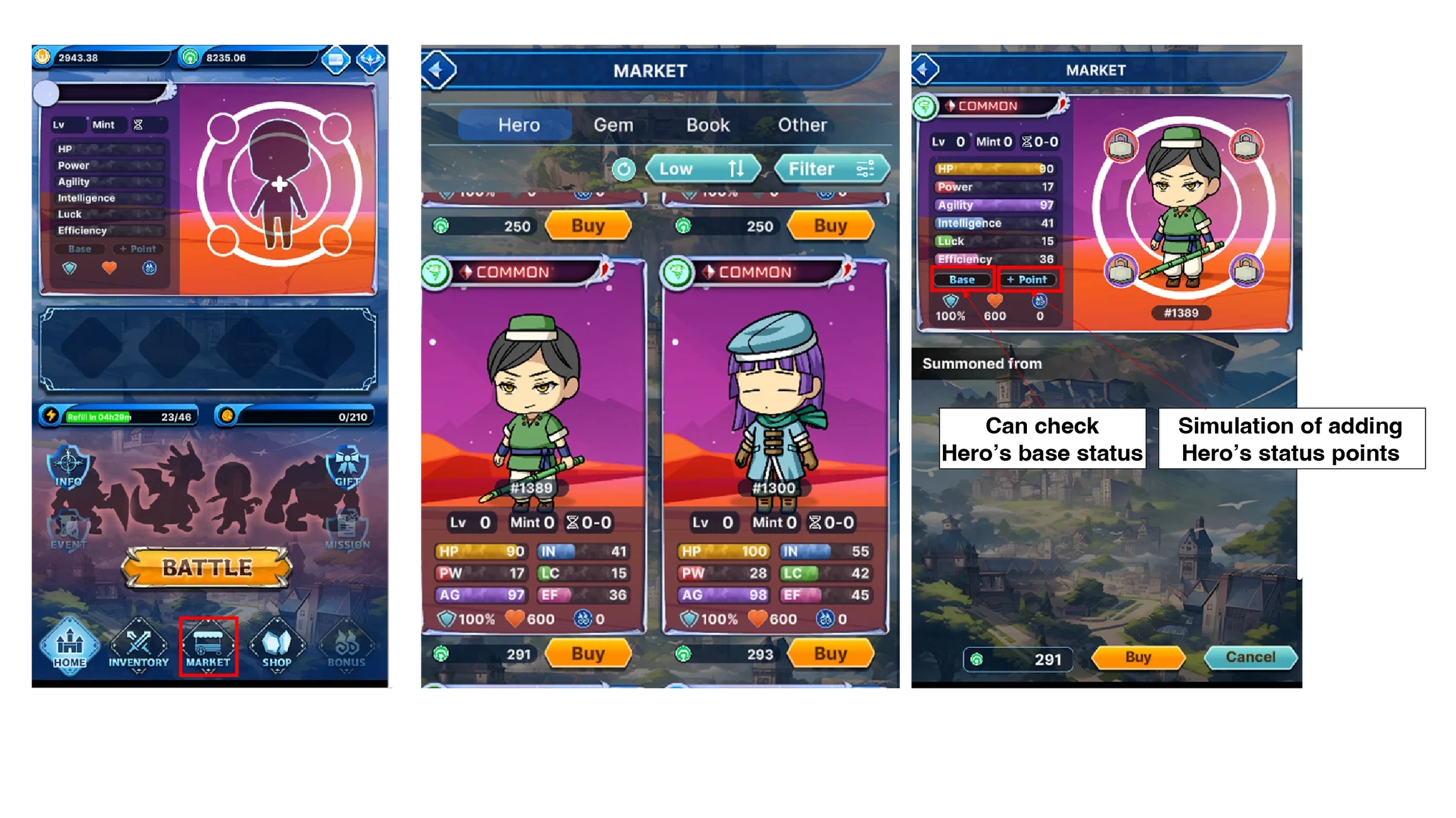
Select ‘MARKET’ on the home screen. Choose a Hero or a Book you wish to buy from the list. Select ‘BUY’.
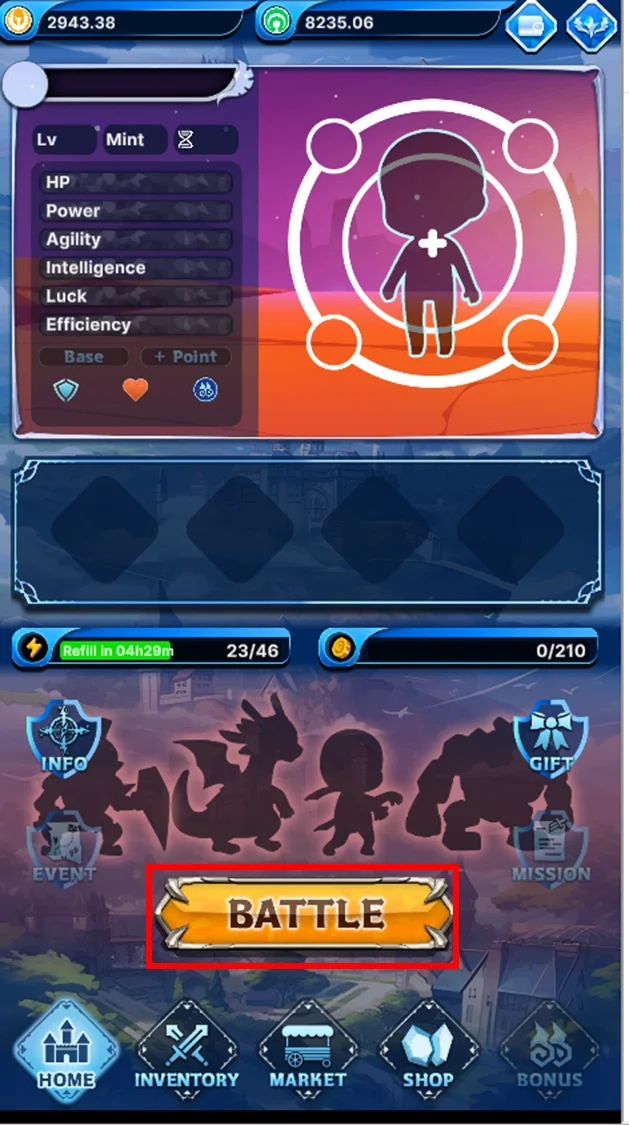
To start a battle, select ‘BATTLE’ on the home screen.
Obtaining bCCP Tokens
To level up and mint your Heroes, you will need bCCP tokens.
Visit GamingDEX and click on ‘CONNECT WALLET’. https://www.gaming-dex.com/#/defiverse/swap
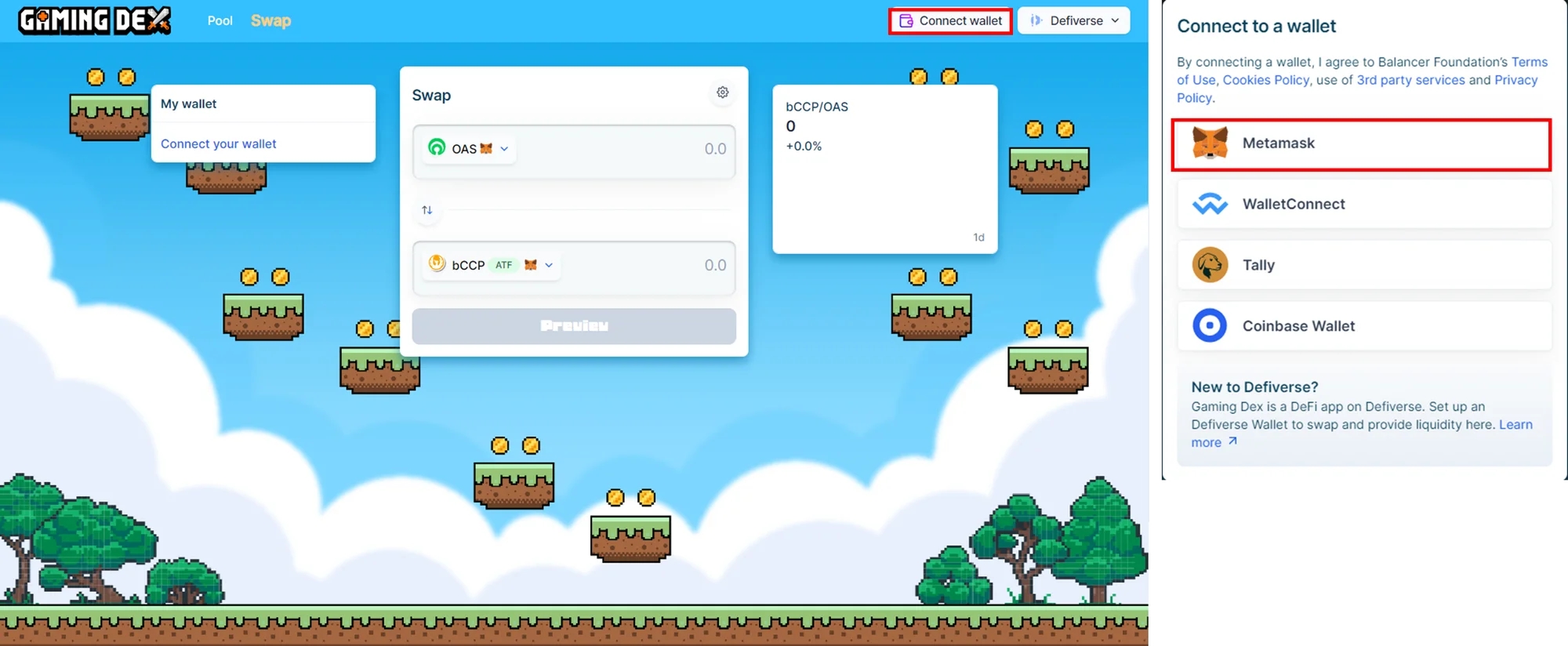
If you're not on the DeFiVerse network, switch by selecting ‘Switch Network’.
Network name: DeFiVerse
RPC: https://rpc.defi-verse.org/
Chain ID: 16116
Currency symbol: OAS
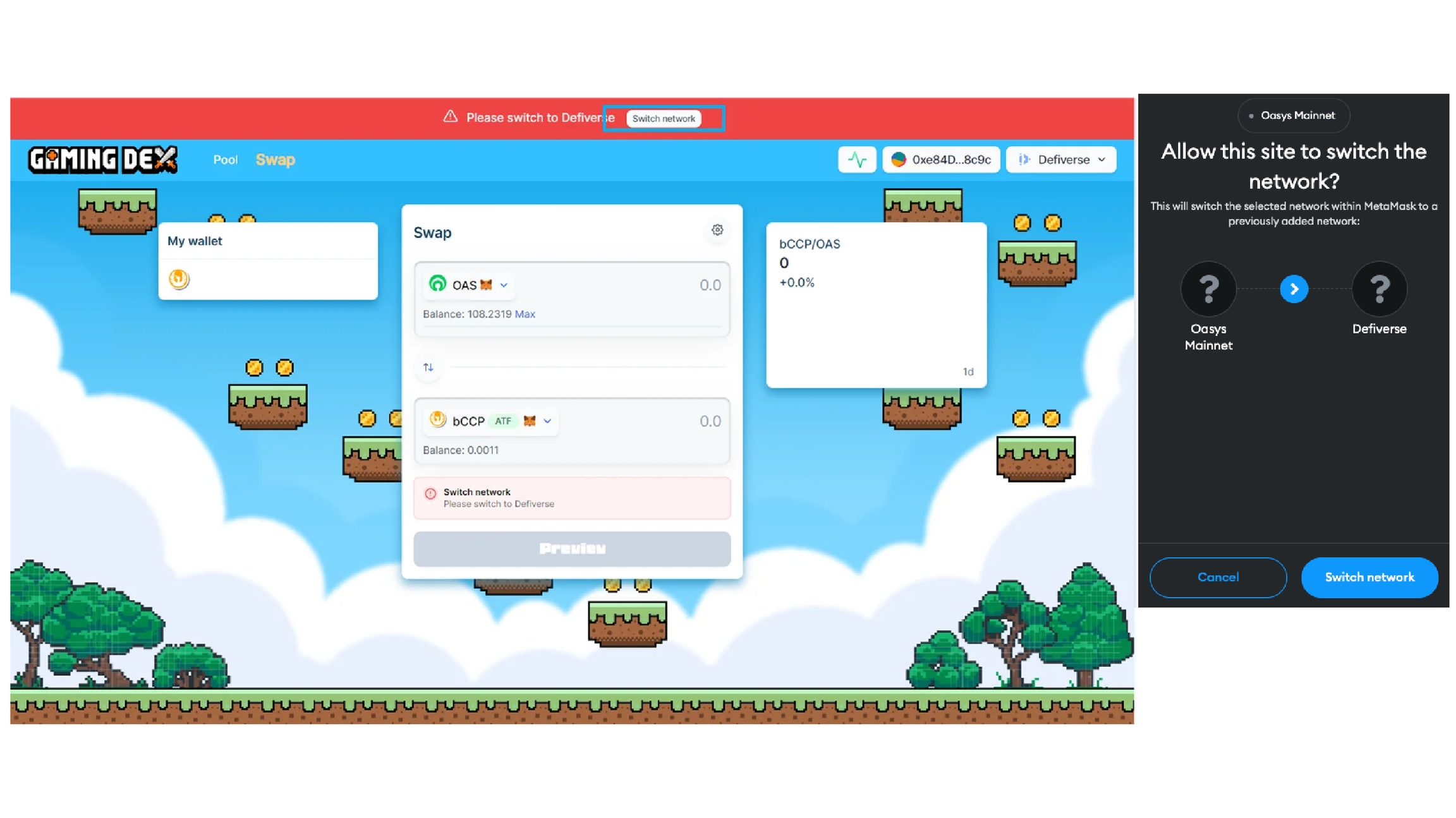
Input the amount of OAS to be swapped into bCCP and click "Preview". Review the confirmation screen, should all details be correct, proceed by selecting ‘Confirm swap’
※Make sure the bridging of your OAS tokens to the DeFiVerse chain is completed prior to the transaction. For bridging, follow the instructions mentioned earlier.
*Importing bCCP tokens into the game follows the same instructions as importing OAS tokens. Select bCCP instead of OAS-DeFi during the token selection process.
Last updated